
8 Ways to Customise Google Maps


Google Maps can do more than just get you from point A to B. You can also customise it to help you discover new places, stay organised, and personalise your journey.
The platform offers plenty of ways to help you tailor your experiences, whether you’re mapping out your next adventure or trying to make your commute easier.
Here are a few simple tips to make Google Maps your own.
1. Organise Your Favourite Spots with Emojis
Saving places to your list is a great way to keep track of spots you want to visit, but you can make it even more fun.
Label your lists with custom emojis to easily identify them at a glance. For example: “🍔 Top Restaurants in Johannesburg” or “🗺️ Future Hike Spots” lists.
It’s a simple, yet effective way to organise your saved places and make your maps a little more personal.

2. Turn Screenshots into a Personalised Travel Guide
When planning a trip, we often take screenshots of interesting places or travel recommendations.
Google Maps makes it easy to turn these screenshots into a custom itinerary. Simply take a screenshot of a location, and Maps will automatically recognise it, saving it to a custom list.
This means your travel guide is created on the go, making trip planning a breeze.

3. Quickly Check ETAs for Home and Work
Eliminate the guesswork when it comes to your daily commute. Set up your Home and Work addresses in Google Maps, and you’ll instantly see real-time ETAs right on your homescreen.
You can even customise the icons for each location. Just tap the three-dot menu and select “Change Icon” for a personalised touch.
4. Let Google Maps Plan Around Your Schedule
For those moments when timing is everything, Google Maps can help you arrive on time.
Simply set your desired arrival time, and Maps will tell you when to hit the road. It’s the perfect way to ensure you’re never late again.
5. Find Dining Spots That Fit Your Taste and Budget
Choosing the right restaurant can be a challenge, but Google Maps can help you find the perfect spot.
By allowing you to filter your results based on preferences like “Open Now”, “Accepts Reservations”, and even the price range.
6. Customise Your Ride with a Navatar
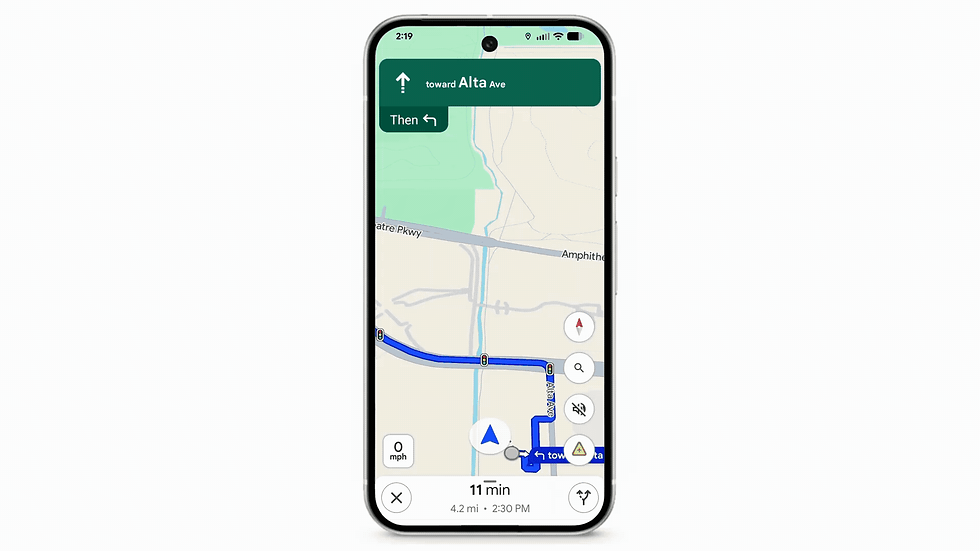
Make your drive extra fun with Google Maps’ customisable navigation avatar, the little icon that represents your ride.
Whether you want to drive in style with a race car icon or cruise in a classic pickup truck, it’s a fun way to make your journey more personal.
7. Map Your Drive Your Way
Everyone has their own driving preferences, and Google Maps makes it easy to cater to yours.
Avoid tolls, highways, or rural routes by setting your preferences in the app. You can also choose routes with HOV lanes or fuel-efficient options, depending on your vehicle type.
Head to your settings, tap on “Navigation,” and set your preferences for a more customisable driving experience.
8. Get Glancable Direction Hints on the Go
Sometimes, all you need is a quick reminder while you’re on the road. With glanceable directions, Google Maps provides helpful hints right on your lock screen.
Whether it’s a reminder to turn right or get off at the next exit, you’ll stay on track without needing to open the app.
Make Google Maps Work for You
With all these customisation options, Google Maps is a personal travel companion that adapts to your needs, preferences, and lifestyle.
Whether you’re organising your favourite spots, finding the best route, or just having a little fun with your journey, there’s a world of possibilities waiting for you.


Comments